
Knowledge Base
Created
Modified
Modified
Installed product does not match
Problem
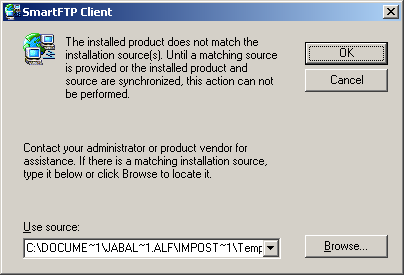
The following error is displayed when starting SmartFTP:
The installed product does not match the installed source.
Solution
1. Uninstall SmartFTP (Start -> Control Panel -> Add/Remove Programs)
2. Install the latest version from Download
Keywords
error msi setup installed
Related Articles
What do you think about this topic? Send feedback!